
If your website is a shop window, web analytics is the foot-traffic counter, the heat map on the glass, and the friendly clerk who whispers, “People keep stopping at the blue jacket—maybe move it up front.” You don’t need a giant budget or a data team to benefit. Even a one-page site or personal blog can learn which posts resonate, where readers drop off, and which actions actually move the needle.
Plain-English definition
Web analytics is the practice of measuring what happens on your site so you can make smarter decisions. It turns clicks, visits, and scrolls into answers to simple questions:
- How many people showed up?
- Where did they come from?
- What did they do while they were here?
- Did they do what I hoped (subscribe, contact, buy, donate)?
- What should I change next?
That’s it. No jargon required.
Why it matters (even for small sites and blogs)

- Stop guessing, start prioritizing
Instead of rewriting every page, improve the two that already bring 70% of your visits or sales. - Spend time and money where it works
If Instagram sends 3% of traffic but 20% of sign-ups, you know which channel deserves attention. - Fix silent blockers
A broken link on a popular page can quietly kill conversions. Analytics surfaces the drop. - Grow trust with proof
Clients, donors, bosses—everyone loves screenshots that show progress, not promises. - Reduce burnout
When you see which efforts pay back, you can say “no” to the rest with confidence.
The questions analytics answers best

- Audience: How many people visit, how often they return, and what devices they use.
- Acquisition: Which traffic sources actually bring visitors (search, social, email, referral).
- Behavior: Which pages get attention, how long people stay, where they bounce.
- Outcome: Which visits convert—into leads, purchases, sign-ups, or reads.
Think of analytics as a conversation with your site. It tells you what’s working; you respond by adjusting content, layout, or offers.
Practical examples for small sites
- Personal blog: Learn which post formats (how-to, story, listicle) keep readers longer. Promote those and retire topics that fall flat.
- Freelance portfolio: See which case studies lead to contact-form submissions, then elevate them to your homepage.
- Local café: Track clicks on “Call,” “Get directions,” and daily menu views. If directions spike Friday afternoon, schedule your specials post earlier.
- Nonprofit: Watch which stories drive donations or volunteer sign-ups; feature them in the newsletter.
Starter metrics that actually help
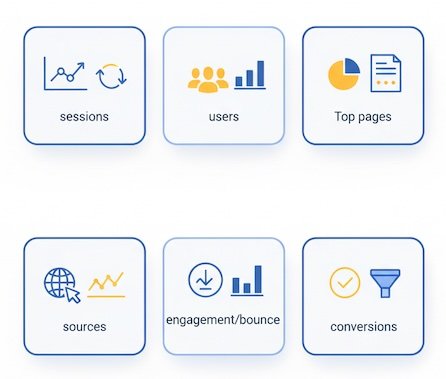
You’ll hear dozens of buzzwords. You only need a few to start:
- Sessions (Visits): Each visit to your site. Helps you spot spikes and dips.
- Users (People): Rough count of unique visitors. Useful for growth trends.
- Top pages: Your most visited content. Double down on what’s already popular.
- Traffic sources: Where people came from (search, social, email, referral).
- Bounce rate / Engagement: Did visitors interact or leave quickly? Good for spotting mismatched expectations.
- Conversions: The actions that matter—form submit, sign-up, purchase, file download.
- Conversion rate: Conversions ÷ sessions. A small lift here beats chasing more traffic.
Pro tip: Track one primary goal (e.g., “newsletter sign-up”) and one secondary (e.g., “view pricing”). Clarity beats complexity.
Reading your data like a pro (without being one)
- Look for patterns, not single points
One weird day is noise. A week-over-week change is a signal. - Segment before you judge
Mobile vs. desktop, new vs. returning, search vs. social. A page may look “bad” overall but perform great on mobile, for example. - Compare neighbors, not strangers
Don’t benchmark your niche blog against Amazon. Compare your About page to other informational pages, or your latest three posts to your previous three. - Ask “so what?” after every insight
“Traffic from Twitter doubled”—so what will you do? Pin a top-performing tweet, post at the same time next week, or test a new thread format.
Quick wins you can act on this week

- Put your top content on the path to your goals
If a blog post brings most of your traffic, add a relevant call-to-action (CTA) inside it: newsletter, lead magnet, demo request. - Shorten the path to action
From your popular page, can visitors reach your goal in one click? If not, add a clear button or internal link. - Rescue underperforming pages
High traffic + low conversions? Clarify the headline, move the CTA above the fold, add social proof, or reduce form fields. - Double-down on winning channels
If search drives sign-ups better than social, expand related content and internal links. If a partner site sends great traffic, offer them another piece.
Common myths to ignore
- “I need advanced tools.”
Free/low-cost tools cover 90% of small-site needs. The value comes from your questions, not the software. - “More traffic fixes everything.”
If your conversion rate is weak, adding visitors just multiplies waste. Improve the funnel first. - “Time on site is always good.”
Sometimes long time means confusion. Pair it with scroll depth and conversion rate for context. - “I must track everything.”
You’ll drown in dashboards. Start with goals, top pages, sources, and conversion rate.
Ethical and practical guardrails
- Respect privacy: Be transparent about what you collect and why. Offer choices where possible.
- Minimize data: Track what you need to improve the experience; skip sensitive details.
- Focus on usefulness: If a metric doesn’t change a decision, drop it from your report.
Trust is a growth strategy. Treat users the way you want brands to treat you.
A simple monthly routine

- 15 min — Health check
Traffic trend, top pages, top sources, basic engagement. Any big swings? - 20 min — Outcome review
Which pages and sources drove conversions? What changed from last month? - 15 min — Hypotheses
Pick one friction you can reduce (clarify copy, surface CTA, add proof). Write it down. - 10 min — Action & note
Make the change and log the date. Next month, compare before/after.
This rhythm beats sporadic deep dives—and builds compounding gains.
A glossary you can share with anyone
- Traffic source: The origin of a visit (Google Search, Facebook, Newsletter, Referral site).
- Landing page: The first page a visitor sees in a session.
- CTA (Call to Action): A button or link that prompts the desired step (Subscribe, Contact, Buy).
- Conversion: The completion of your goal action.
- Funnel: The series of steps toward conversion (e.g., Visit → Product → Cart → Checkout).
Bottom line
Web analytics isn’t about charts; it’s about clarity. It tells you what’s bringing people in, what keeps them engaged, and what finally convinces them to act. With a handful of metrics and a monthly habit, any site—yes, even a tiny blog—can make better decisions, work smarter, and grow faster. Start small, focus on outcomes, and let the data show you the next, most valuable step.